
Last Update
11/05/2026
What will your students do (or NOT do) for a fidget spinner?
Student Merit Store gives that behavior rewards program your schools already do somewhere to live besides a desk drawer.
Staff award points for the behaviors you want to see, and students cash them in at a staffed store for real stuff. Every award, purchase and balance adds itself up.
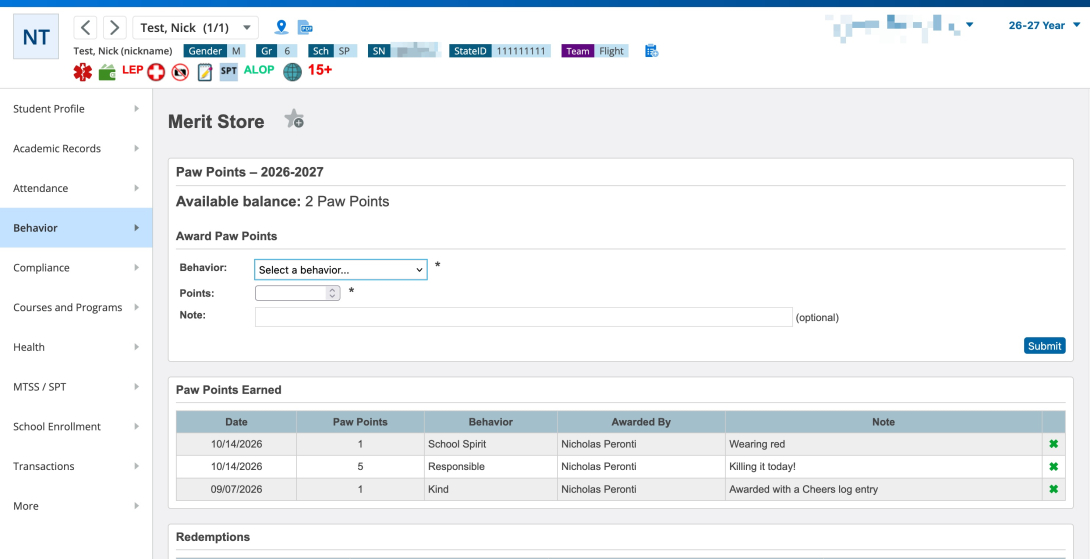
What used to be slips of paper is now a balance, plus handy reports!
Features
- Award from anywhere staff already are: one student from dedicated pages on the admin/teacher portals, your whole current selection at once, or a teacher’s entire class roster in one go.
- Behaviors you define, each with a default point value. Retire one and every award you already gave stays intact.
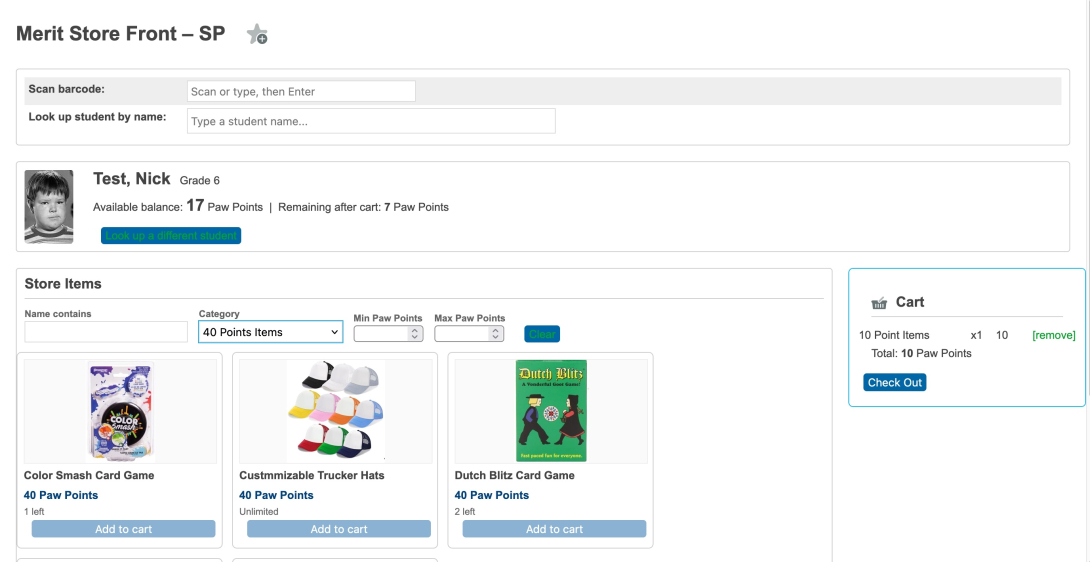
- A proper store front: look a student up by name or scan their ID. The cart stops at their balance, their per-student limit, and whatever stock is actually left. So nothing gets promised that can’t be handed over.
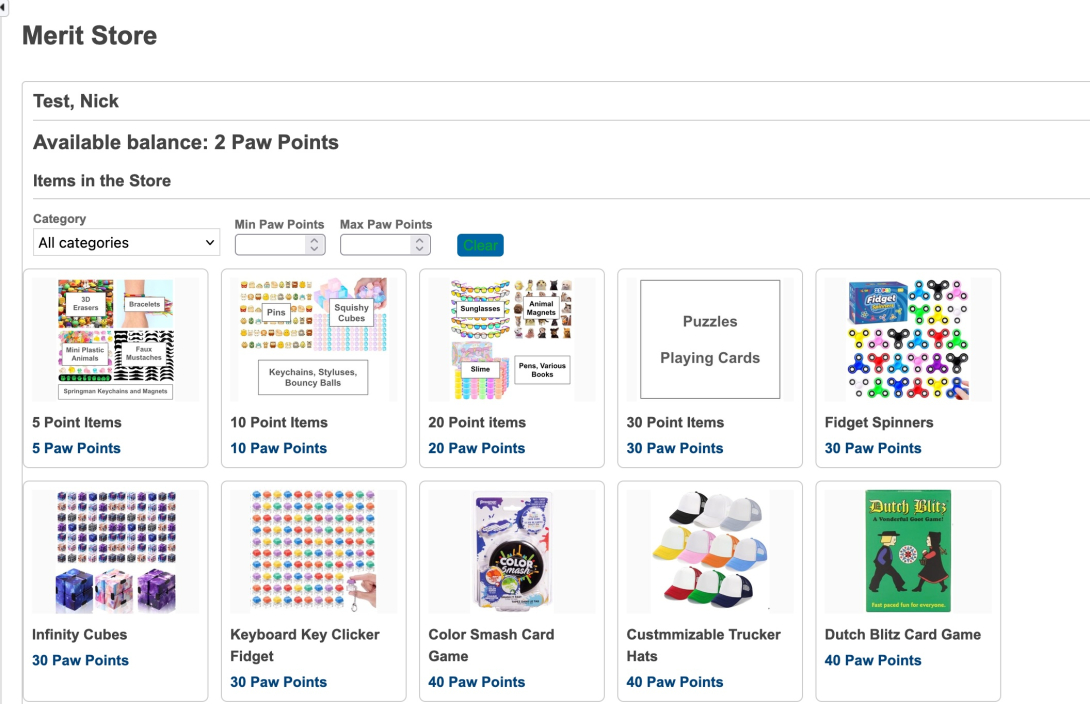
- Items with pictures, a point cost, a category, grade-level limits, and a quantity that counts down as things go out the door.
- Reports: who earned, who spent, what sold, plus a fun Leaderboard. Export any of it to CSV.
- Parent and student portal: balance, what’s in the store today, every point earned and what it went toward. Read-only - redeeming happens at the counter, with a human.
- Call it whatever your mascot demands. Paw Points, High Flyers, Tiger Tickets. Rename it once and it changes everywhere students, families and teachers see it.
- Fully translatable.
Options
- District-wide settings, or let each school override them individually.
- Points carry over to next year, or reset every August.
- Barcode scanning on or off, and which student field the scanner matches.
- Who gets the read-only page: nobody, students, guardians, or both.
- Who can change a behavior’s point value when awarding: nobody, only admin, admin and teachers.
- Whether staff can type in a one-off “Other” award, or only pick from your list.
- Show a student's photo in the store.
- Group the store by category or by price.
- Store instructions right on the store front — hours, rules, “no, you cannot buy the stapler.”
Post Install Setup:
View the Student Merit Store - Getting Started page
Version History
Screenshots
Student Merit Store
Student Merit Store
Student Merit Store
Download
| Attachment | Size |
|---|---|
| Student_Merit_Store_1_0.zip | 126.75 KB |