
Now a user-friendly plugin! Works very similar to my List Students Auto-Loader.
The System Reports > Class Roster (PDF) function is a great way to get class information out of the system in a nice printable format. However... try explaining to your office staff that after they took the time figuring out all the parameters, field names, and column widths, to create the roster, they cannot save it for future use!
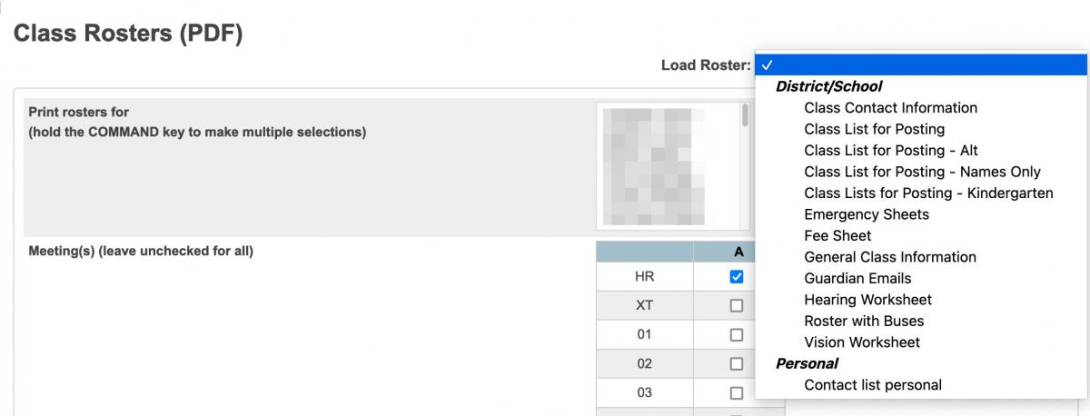
This plugin allows PowerSchool admin users to save "roster sets" to a drop-down menu on the page. All users can save "personal" roster sets. You may give particular security groups permission to create roster sets for their school, or multiple schools/the entire district.
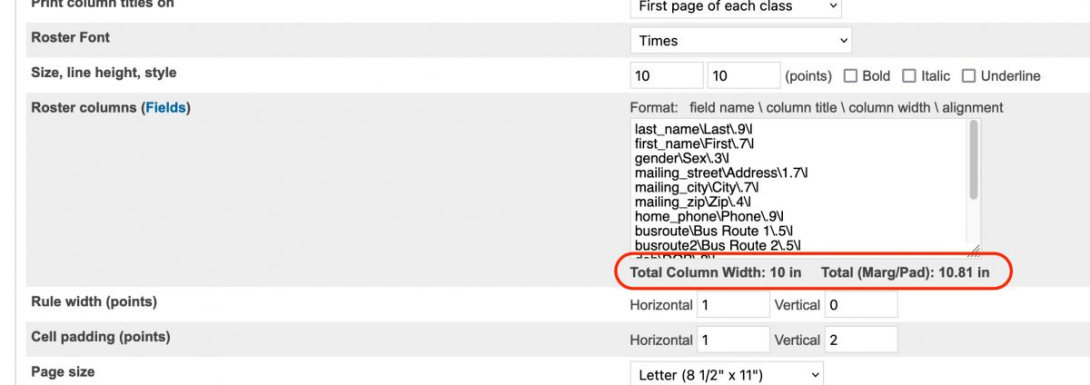
The page also includes a handy little javascript which will calculate the width of the fields you have specified, and display the total underneath the "roster columns" box. This was included to get around the annoying task of running a report to see if your column widths where okay.
Post Install Setup:
After installing the plugin, go to System > Groups. The Groups page now has a setting "Create and Edit School/District Roster Sets". On a per group basis you can choose:
- Whole District (full access): In addition to personal roster sets you can create/edit/delete roster sets for a single school, multiple schools, or the whole district. Groups with this access can also manage all roster sets created by going to District > Roster Sets. I would suggest giving this access to the Administrator group if not others.
- School You're Under: In addition to personal roster sets you can create/edit list sets that can be used by the school it was created under. I give my office secretaries this option.
Saving/Editing Roster Sets:
On the Class Rosters (PDF) screen, fill in the columns/settings as you would normally.
At the bottom of the screen you will see a new button "Save/Edit Roster Set". Click "Save as Personal Roster Set" and give your set a name. This name is what shows in the Load Roster drop-down.
Depending on your group access, you may also see the button "Save as New School/District Roster Set". If you have school level access, a message will appear letting you know the set will be available under your current school. If you have district level access, you will be presented with a series of checkboxes for each school in the district.
To edit a roster set (assuming you have access to it), select that list in the drop-down and click "Update Current Roster Set". The roster set name will already be filled in, but can be altered.
To delete a roster set (assuming you have access to it), select that set in the drop-down and click "Delete Current Roster Set".
If you have district level access (see setup) you can manage all list sets (school/district/personal) via District > Roster Sets (under the Code Sets section).
Updating From a Version Previous to 3.x
If you had a version of Class Roster Auto-Loader before version 3 please read these additional instructions.
| Attachment | Size |
|---|---|
| Class_Roster_Auto-Loader_3_2_3.zip | 14.76 KB |